Upload XML File to Connect to FTP Server with FileZilla
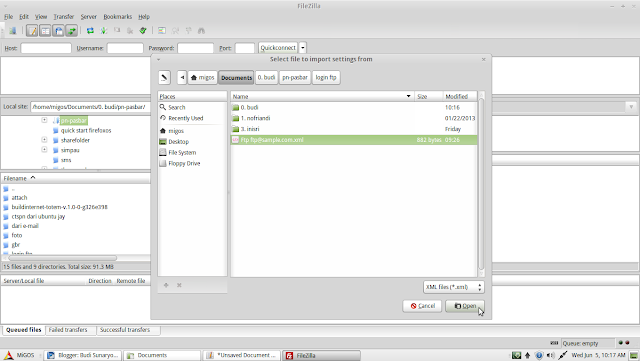
This morning, I've got a call from the client about permission of his FTP Client link. He is can't access and Could not connect to server with response: 530 Login incorrect (critical error). To see that condition, I suggest to check back host, username, and password which has been given. But still couldn't connect, he said. And then I try also to access on my computer, using his account. Hehehe.. He is right :D Then I suggest another way, namely by upload XML File to connect to FTP Server with FileZilla. Instructions are as follows : Open your FileZilla FTP client. Select the Import option from the File menu (File ⇀ Import). Select the XML file you have just downloaded and click OK. To open a connection to your FTP server, select the Site Manager feature from the File menu (File ⇀ Site Manager).
